SQLPro Studio press kit
Everything here is free to use in articles, videos and reviews, with no need to ask first. Credit is welcome but not required.
The zip holds four captioned screenshots at 2880 × 1800, four uncaptioned window screenshots, a 29-second silent screen recording, the icon at 1024 and 512, a banner, and this fact sheet as plain text. Need something else, a licence to review with, or an answer to a question? Just email.
The basics
- Name
- SQLPro Studio
- Developer
- Hankinsoft Development, Inc., Halifax, Nova Scotia, Canada. Independent since 2012, and also the makers of Hydra Dev Studio.
- Platforms
- macOS 14 or later (Apple silicon native) · iPhone and iPad (iOS and iPadOS 17 or later) · Android 10 or later · Windows 10 and 11
- Databases
- MySQLMariaDBPostgreSQLSQL Server & Azure SQLSQLiteOracle 11g–23aiSnowflakeAmazon RedshiftMongoDB & Atlas
- Price
- $15.99/month or $99.99/year, covering Mac, iPhone, iPad, Android and Windows. $219.99 lifetime licence for one platform, with future updates included.
- Trial
- Free trial. Students get a free year.
- Released
- Mac App Store since November 2015 · iPhone and iPad since November 2017 · Android since September 2026
- Category
- Developer tools, database client
- Built with
- Swift and Objective-C on Apple platforms. No Java and no Electron.
- Links
- sqlprostudio.com · Features · Pricing · Downloads · Release notes
- Stores
- Mac App Store · App Store (iPhone, iPad) · Google Play · Microsoft Store
- Listings
- G2 · AlternativeTo · Product Hunt · iTechGuides
- Contact
- kyle@hankinsoft.com (Kyle Hankinson, developer)
Copy you can paste
One line
One native database client for MySQL, PostgreSQL, SQL Server, Oracle and more, on Mac, iPhone, iPad, Android and Windows.
Short description
SQLPro Studio is a native database client that connects to MySQL, MariaDB, PostgreSQL, Microsoft SQL Server, SQLite, Oracle, Snowflake, Amazon Redshift and MongoDB from one app. It is built with Swift and Objective-C on the Mac, with no Java or Electron, and one subscription also covers its iPhone, iPad, Android and Windows apps.
Full description
Most developers and data analysts work with two or three different databases, and many keep a separate tool open for each. SQLPro Studio puts them in one native app.
It connects to MySQL, MariaDB, PostgreSQL, Microsoft SQL Server and Azure SQL, SQLite, Oracle 11g through 23ai, Snowflake, Amazon Redshift and MongoDB, including cloud hosts such as Amazon RDS, Azure SQL, Google Cloud SQL, Heroku Postgres and MongoDB Atlas. Connections run over SSH tunnels with a password or private key and over SSL/TLS, and Azure SQL users can sign in with Microsoft Entra ID, including MFA.
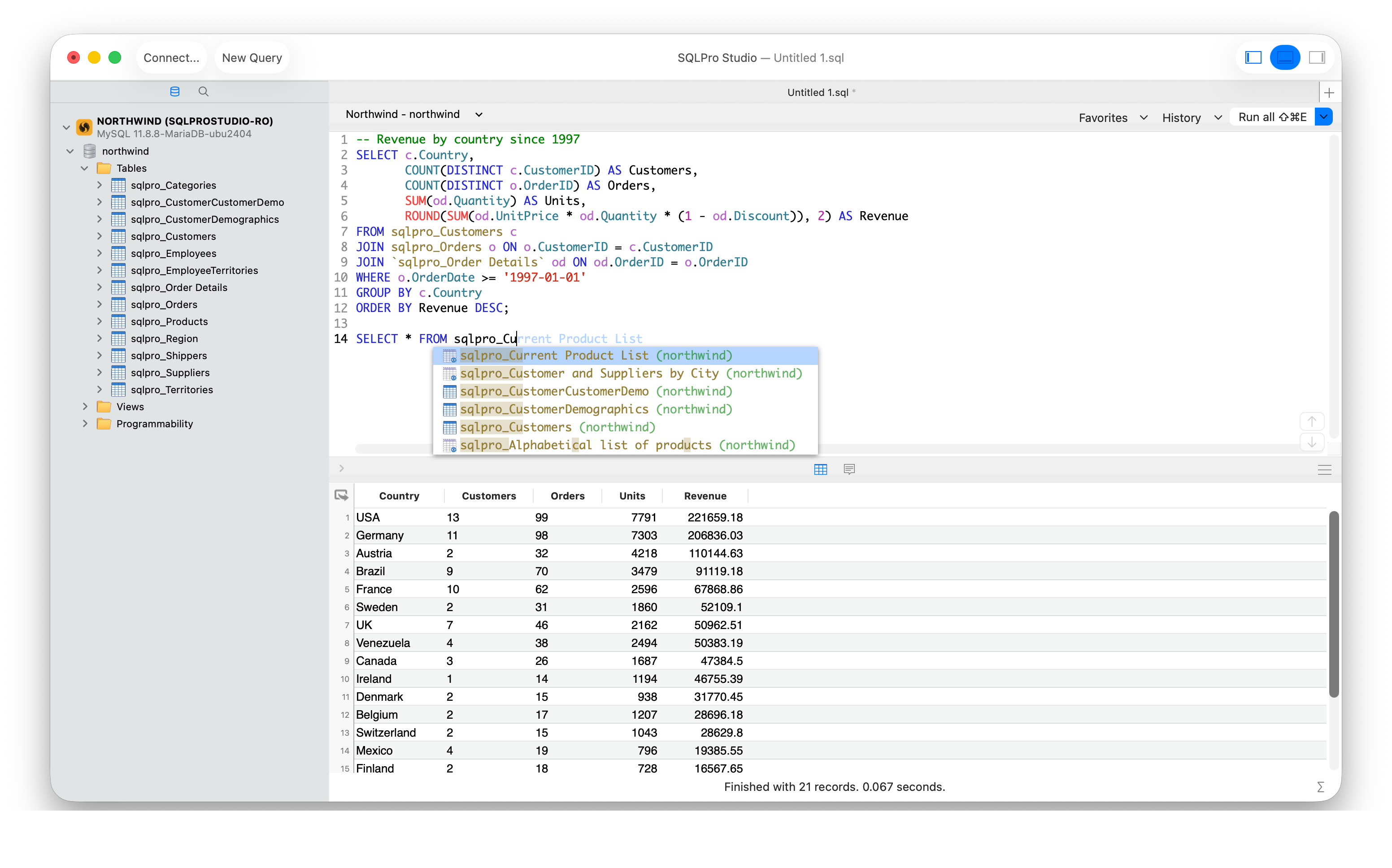
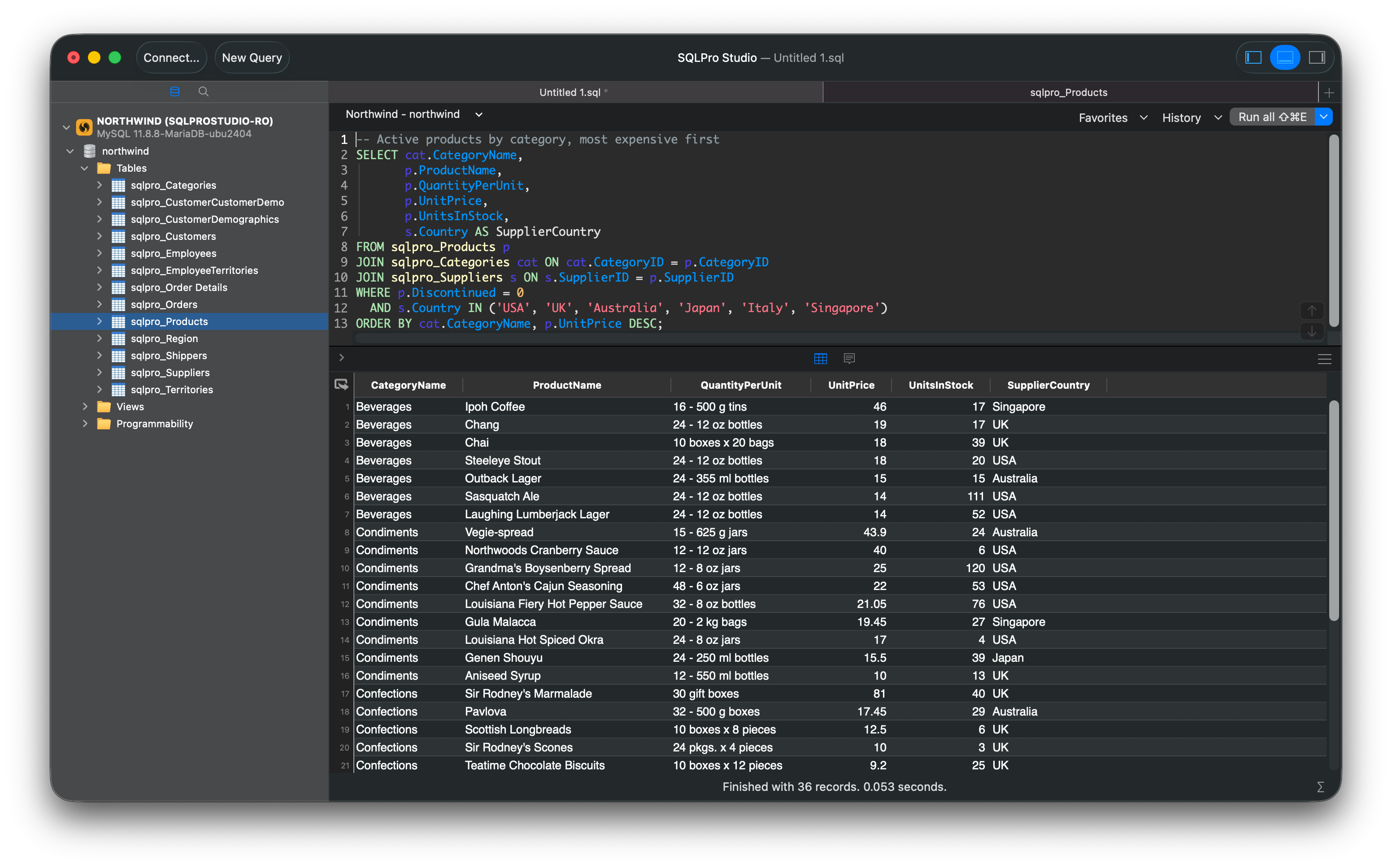
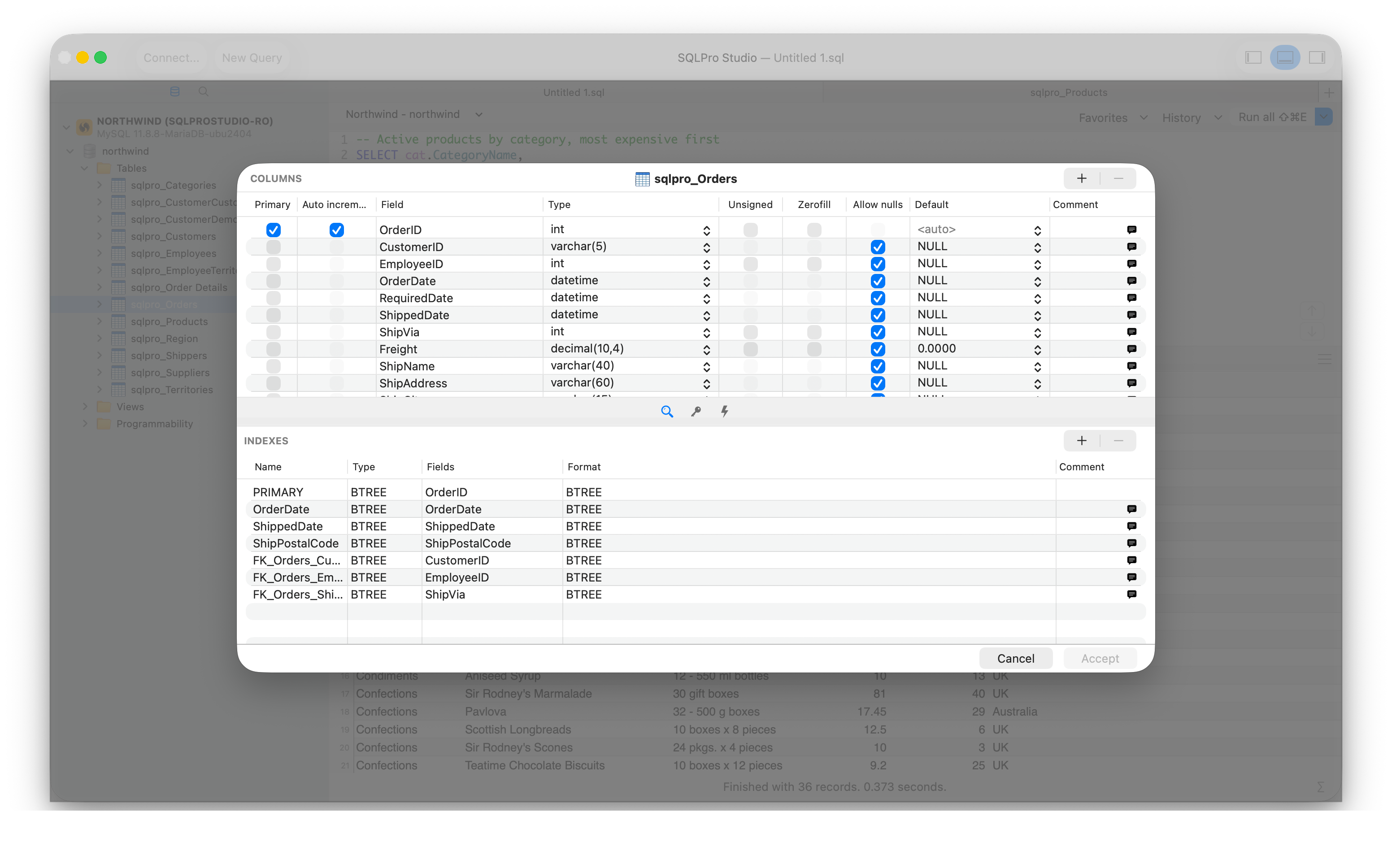
Write queries in a tabbed editor with syntax highlighting, autocomplete and a SQL formatter, see every result set from a batch, and edit rows inline. Design tables, columns, indexes and foreign keys, keep a query history and saved favourites, and import or export CSV, JSON, XML and SQL. Mark a connection read-only to browse production without risk. Saved connections stay on your own devices.
SQLPro Studio is a popular replacement for Sequel Pro and Azure Data Studio. A subscription covers the Mac, iPhone, iPad, Android and Windows apps, students get a free year, and the free trial needs no credit card.
What makes it different
Native on the Mac
Swift and Objective-C, no Java runtime and no Electron, so it starts quickly and behaves like a Mac app.
Nine database types, one app
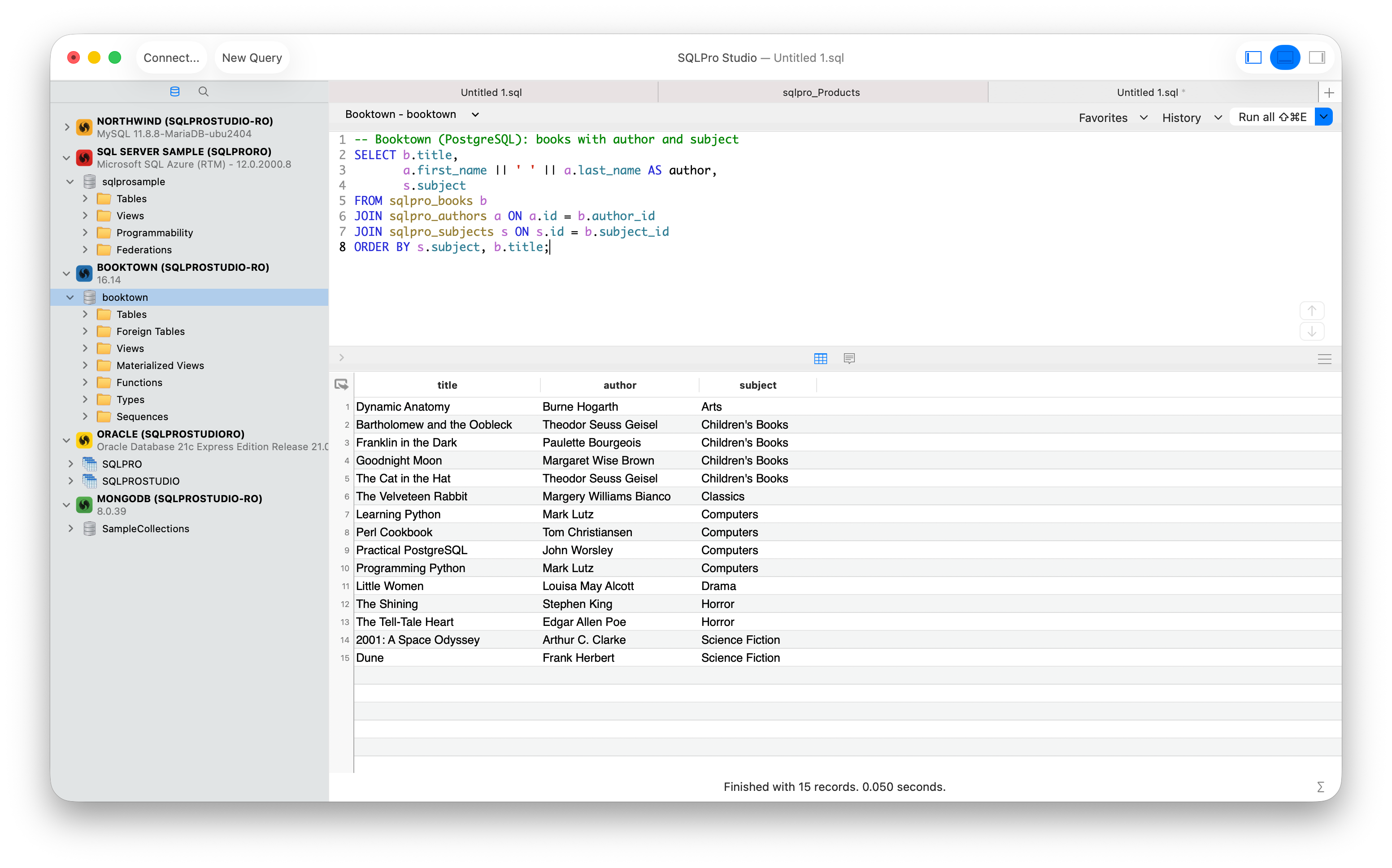
From MySQL and PostgreSQL to Oracle, Snowflake and MongoDB, with one interface to learn.
The same client on every device
One subscription covers the Mac, iPhone, iPad, Android and Windows apps.
Built for production work
Read-only connections, SSH tunnels, SSL/TLS and Microsoft Entra ID MFA for Azure SQL.
Video
A silent screen recording of the real app on a Mac, about 29 seconds. Download it, or use it as B-roll.
1920 × 1080, H.264, silent · Download MP4 (8 MB)
Logos
PNG, transparent where the shape allows. Please don't recolour or redraw the icon.

Screenshots
Click any screenshot for the full-resolution file (2880 × 1800). All of them are also in the zip, along with uncaptioned window screenshots.
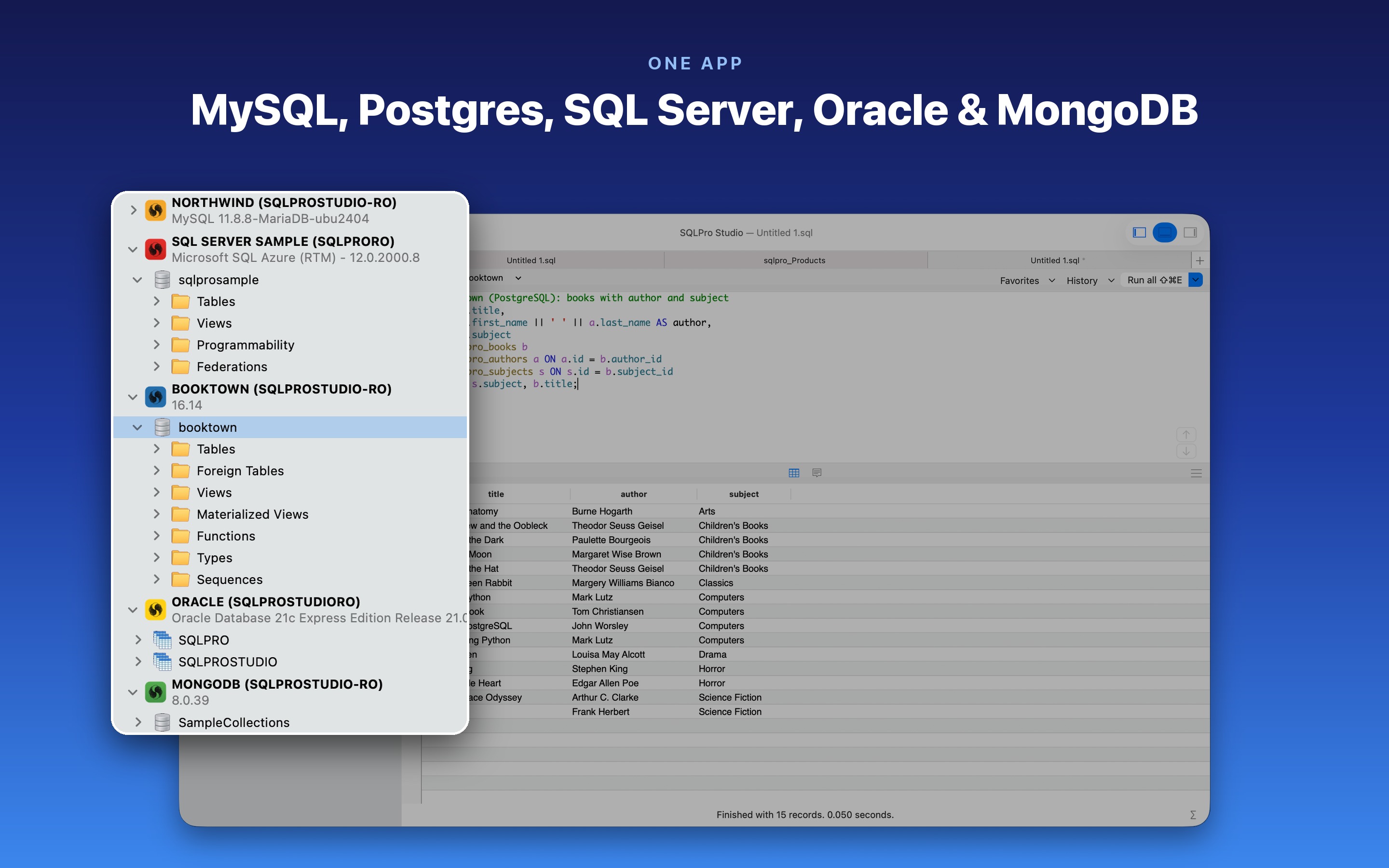
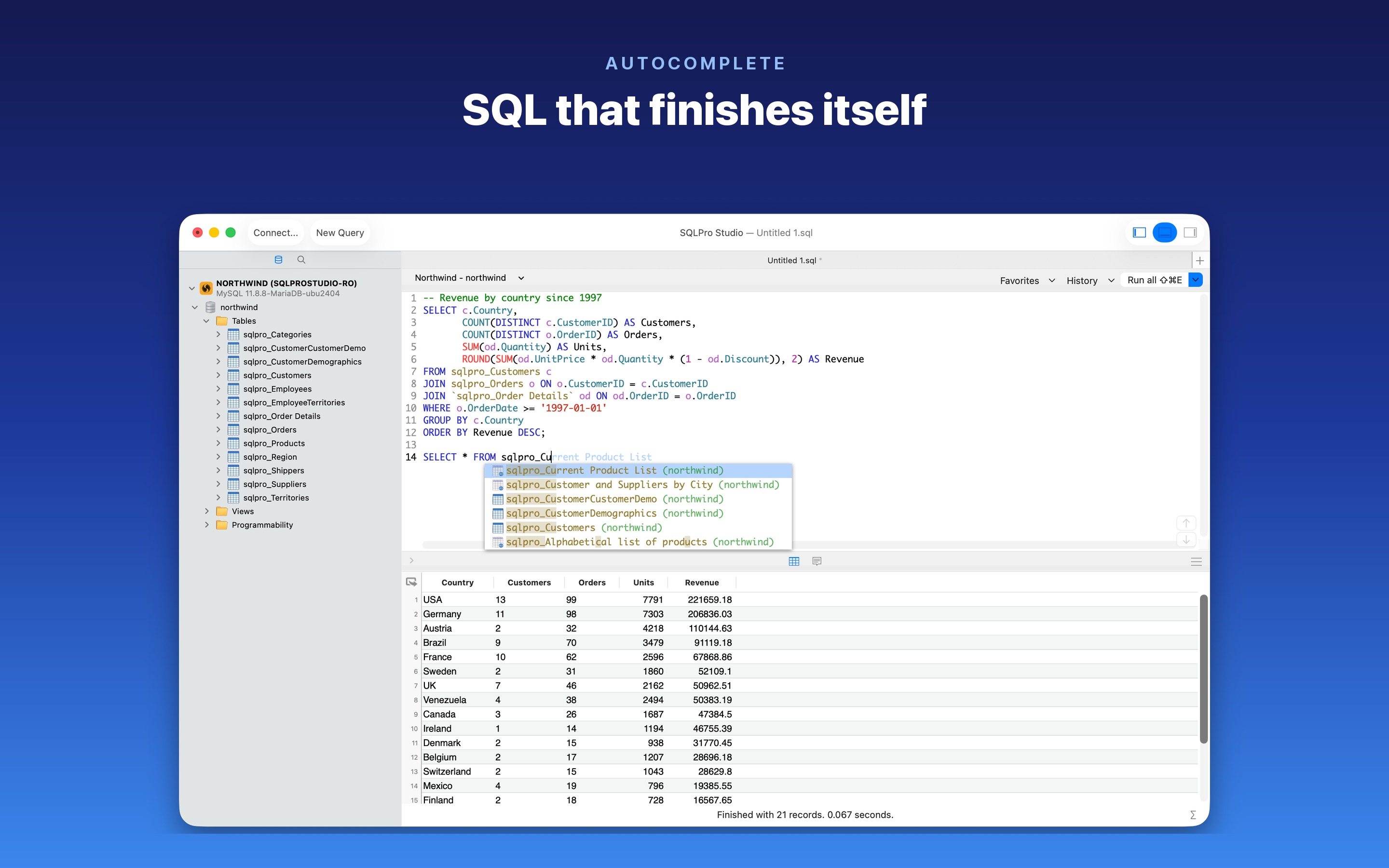
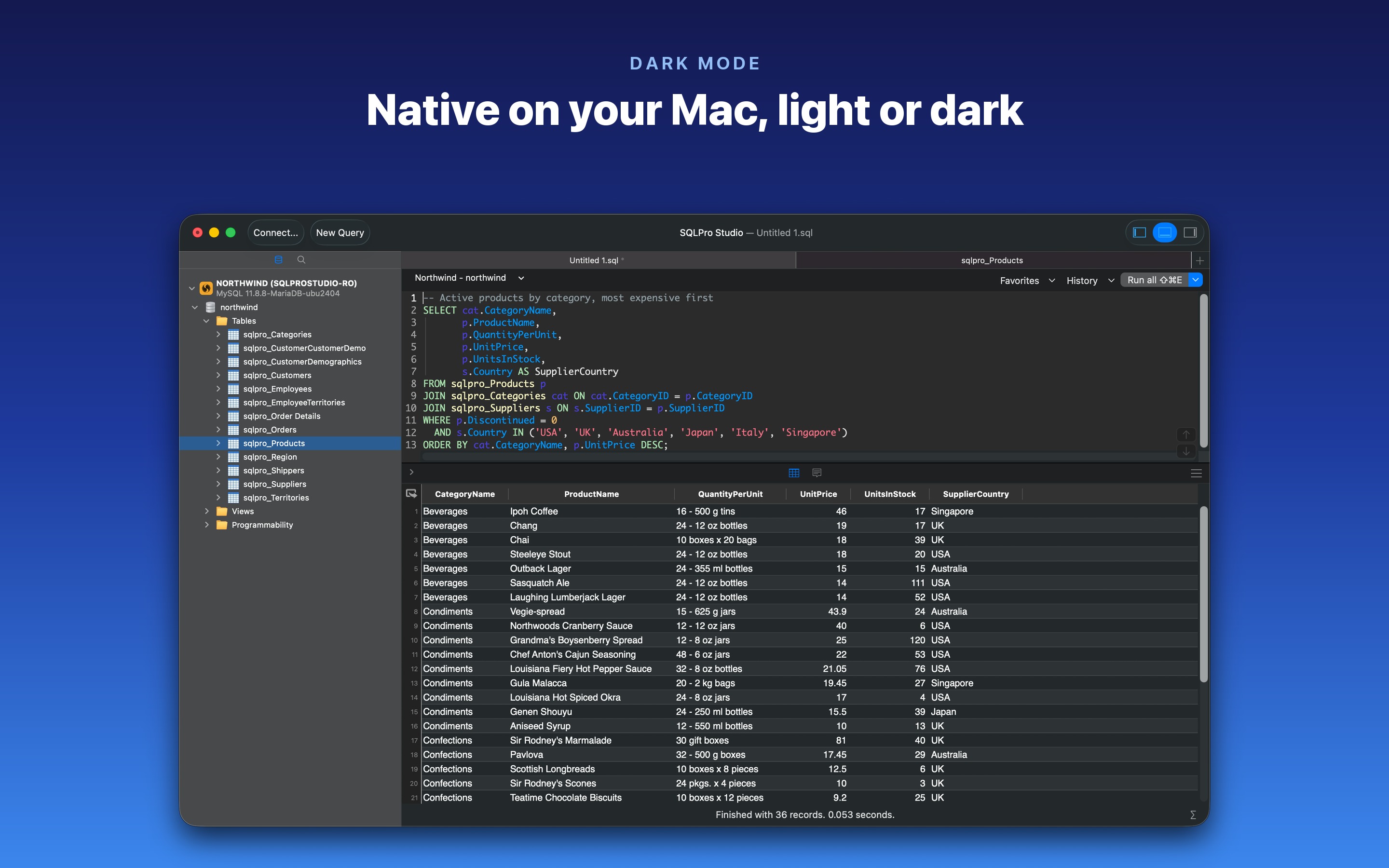
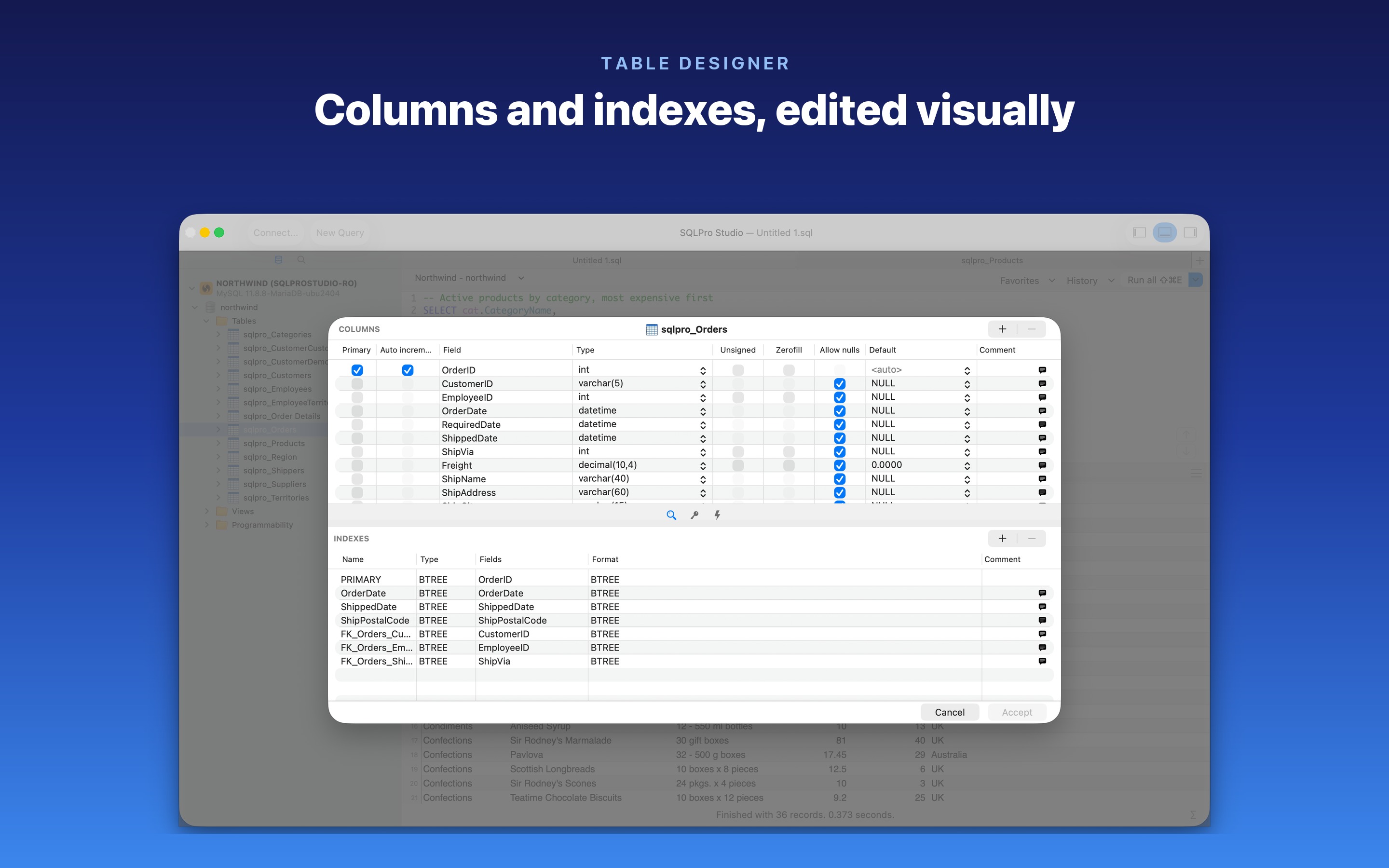
Uncaptioned window screenshots (PNG with transparent shadow): connections · editor, light · editor, dark · table designer
What is in the zip
screenshots/4 captioned screenshots, 2880 × 1800 JPEGscreenshots/plain/4 uncaptioned window screenshots, PNG with transparent shadowvideo/sqlpro-studio-preview.mp4, 1920 × 1080, about 29 seconds, H.264 and silent, safe to cut, speed up or looplogo/App icon at 1024 and 512, the 120 px mark, and a 1200 × 630 bannerFACT-SHEET.txtEverything on this page, as plain text